[ N°115 · Minimalist digital sports poster ]
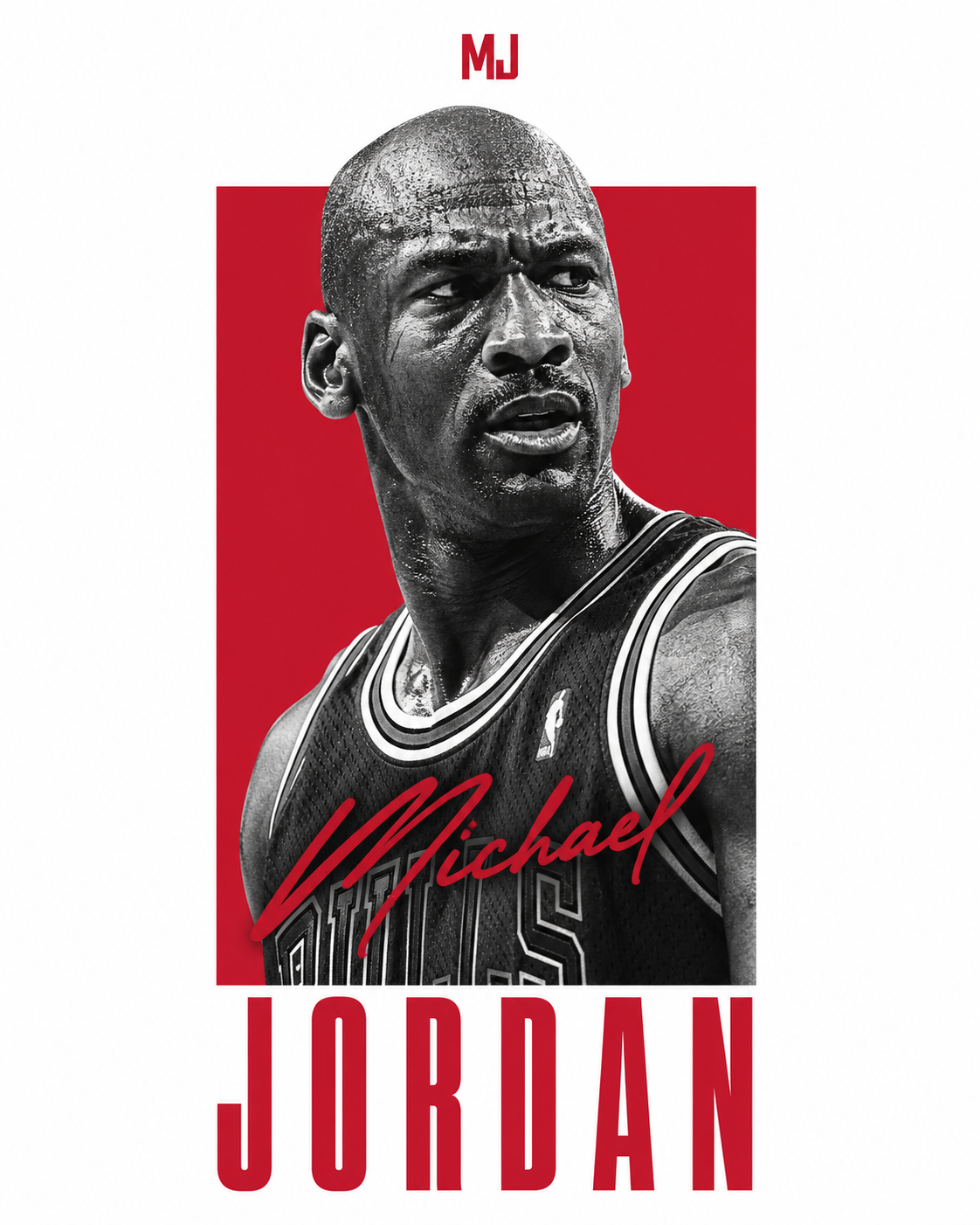
Michael Jordan en póster digital minimalista
- Modelo
- Image 2
- Aspecto
- 3:4
- Tipo
- Imagen
- Plan
- Free
Prompt completo
Michael Jordan, presented as a direct uncompressed digital screen export of a flat source graphic file. Technical & Composition Rules: Medium (Crucial): This is native digital pixel art, NOT a photograph. The entire canvas from edge to edge is pure, seamless digital white (RGB 255,255,255). There is ZERO physical reality: no paper grain, no ink texture, no frame, no shadows, no lighting gradients, no desk/wall environment. It is a flat 2D digital rendering meant for screen display only. Graphic Container & Color: A central, vertical, solid-color rectangle acts as a digital vector container. The color must be uniquely distinct and semantically relevant to the subject, Chicago Bulls red. Avoid defaulting to generic red unless justified by primary branding. Subject Element: A high-detail, gritty black-and-white photograph of the subject is digitally masked inside and over the colored rectangle container. The subject is cropped from the chest up, preferably in a side profile or dynamic 3/4 angle. The head slightly overlaps the top edge of the colored container. Typography (Digital Text Elements): Last Name: Placed below the colored container in the white digital space. Rendered in a tall, compressed, bold sans-serif digital font. Color matches the container. First Name (Contrast Rule): Layered over the subject's torso/clothing. Rendered in a loose, handwritten "signature" script style. The color matches the container, BUT it must be perfectly legible. Ensure high contrast against the underlying B&W photo pixels. No text covers the face. Header Element: Centered at the very top in the white digital space, place clean uppercase initials "MJ", matched to the container's color.Cómo usar este prompt
- Haz clic en Copiar prompt.
- Abre Image 2.
- Pega el prompt en el input y ejecuta la generación.
- Ajusta la relación de aspecto a 3:4 si tu interfaz lo permite.
[ Prompts similares ]
También te puede interesar
- N°102 · Image 2Póster Editorial de Moda Caótica
- N°103 · Image 2Retrato de Identidad Oculta
- N°107 · Image 2Póster Minimalista de Gojo Limitless
- N°113 · Image 2Póster Editorial de Moda K-Fashion Y2K de Lujo
- N°117 · Image 2Póster moderno vintage de memorabilia deportiva y musical
- N°101 · Image 2Póster Editorial de Moda Caótica