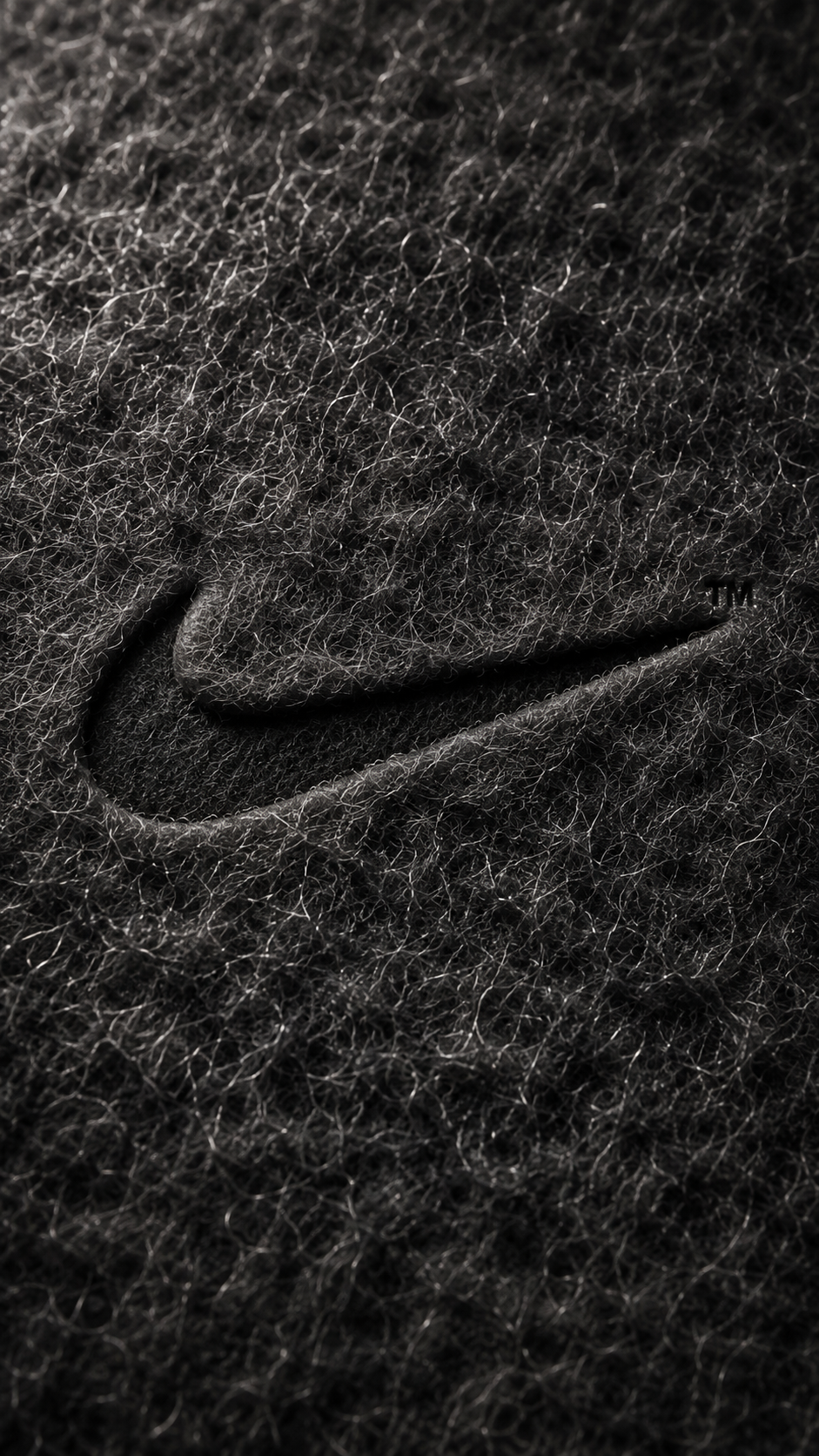
[ N°150 · Extreme macro product photography, hyperrealistic CGI, monochrome fibrous texture, warm raking light, premium luxury aesthetic. ]
Nike Swoosh Debossed on Black Macro Fibrous Surface
- Model
- Image 2
- Aspect
- 9:16
- Type
- Image
- Plan
- Free
Full prompt
NIKE

Act as a Macro Product Photographer and CGI Material Specialist creating an extreme close-up hero image of a dense fibrous organic surface with the Nike Swoosh logo debossed into the material — the logo pressed INTO the surface creating a recessed impression, everything in one unified color family. The entire image is monochromatic — surface and logo are the same color, distinguished only by light and shadow. References: extreme macro fiber texture photography, cotton candy texture CGI, microfiber material detail photography, luxury goods embossing detail photography.

PHASE 0: BRAND LOGO INTELLIGENCE — SYMBOL FIRST

Use the canonical primary Nike standalone symbol: the Nike Swoosh.

Use ONLY the Swoosh symbol as the debossed form. No letters, no “NIKE” wordmark, no typography.

The debossed Swoosh must be immediately recognizable as Nike’s primary identity. A small ™ symbol appears in the upper-right area near the Swoosh — small, precise, same deboss depth as the main mark.

PHASE 1: SURFACE MATERIAL SYSTEM — CRITICAL

The entire frame is filled with a dense fibrous surface — no background visible, the material fills edge to edge. The material is a mass of ultra-fine individual fibers packed together creating a soft fluffy slightly translucent texture — like cotton candy, microfiber fabric, fine wool felt, or velvet pile at extreme magnification.

Individual fiber properties: each fiber is a thin semi-transparent strand approximately 0.1 to 0.3mm in diameter. The fibers are randomly oriented but follow a loose general directional flow across the surface — not perfectly uniform, not perfectly chaotic. Some fibers curl slightly at their tips. Fibers overlap and interweave creating a complex layered depth. The fibers are semi-translucent — light passes slightly through the outer fiber layer revealing the fiber bed beneath.

Surface depth: the fibrous mass is not a flat surface — it has genuine volumetric depth. The outermost fibers are in sharp focus in the center zone, the deeper fiber layers beneath them are slightly less defined, creating a sense of looking into a soft translucent material. Dense fiber clusters appear lighter and more opaque. Less dense zones allow the underlying fiber bed to show as slightly darker areas.

Raking light fiber response: the single raking light source catches individual fiber strands as bright highlights — millions of tiny specular points scattered across the surface. Each fiber strand facing the light source catches a bright point highlight, fibers facing away remain dark. This creates a luminous sparkling quality across the entire surface — the texture appears to glow from within where fiber tips catch the light directly.

PHASE 2: COLOR SYSTEM — MONOCHROMATIC NIKE BLACK / ANTHRACITE

The entire image exists in a single Nike-inspired monochromatic black color family, based on Nike’s most iconic visual identity: black-on-white minimal contrast, translated here into a luxury black fibrous material system.

Color zones: highlight zone — luminous charcoal graphite where fibers directly face the light source, approaching a polished dark-silver black. Mid-tone zone — deep Nike black / anthracite, the dominant tone across the surface. Shadow zone — a darker deeper black, 30 to 40% darker than mid-tone, in fiber valleys and shadow areas. Deboss interior — the darkest zone, 50 to 60% darker than mid-tone, the recessed Swoosh interior in deep shadow. All zones remain within the same black / anthracite color family — no hue shift, only value and saturation variation. Completely monochromatic — no other colors anywhere in the image.

PHASE 3: DEBOSS SYSTEM — CRITICAL

The Nike Swoosh logo is debossed into the fibrous surface — pressed INTO the material, not raised above it. The Swoosh geometry exists as a recessed depression where the fibers have been compressed and pushed down by a precision die.

Deboss depth: 1.5 to 3mm equivalent.

Deboss edges: clean curved geometric boundary where the uncompressed fibers meet the compressed zone. At the edge, the fibers are pushed slightly outward and upward by the compression — creating a very subtle raised fiber ridge tracing the full Swoosh outline. This micro-ridge catches the raking light as a thin bright line, the brightest element of the logo area.

Deboss interior: the fibers within the Swoosh impression are compressed flat — the fibrous texture is still visible but significantly flattened and more dense. The interior floor is in shadow — the raking light cannot reach it directly, reading 50 to 60% darker than surrounding surface. The compressed fibers in the interior have a slightly different visual quality than the uncompressed surrounding fibers — denser, more matted, less individually distinct.

Deboss shadow: directional raking light creates a shadow gradient within the deboss interior — bright on the light-facing edge, dark on the shadow-facing side. This gradient makes the Nike Swoosh readable as a three-dimensional impression.

PHASE 4: LIGHTING — RAKING MACRO LIGHT

Single dominant raking light source: positioned upper-left at a very low angle to the surface — approximately 15 to 25° above the surface plane. This extremely low angle is critical for revealing the fiber micro-texture and creating fiber tip highlights.

The raking light creates: a radial brightness gradient from center, brightest directly below light, to edges and corners, progressively darker. Millions of individual fiber tip specular highlights across the entire surface. Sharp micro-shadows from every fiber creating surface depth. The debossed Nike Swoosh impression dramatically revealed — bright fiber ridge edge and deep shadow interior.

Light temperature: warm — 3000 to 3500K, enhancing the richness of the black anthracite fibrous surface. Very subtle cool ambient fill — 5% intensity — barely lifts deepest shadow zones. No secondary lights.

PHASE 5: CAMERA & DEPTH OF FIELD

Camera: extreme macro lens — 1:1 to 2:1 magnification ratio. The Nike Swoosh occupies approximately 25 to 35% of the frame — centered or very slightly above center. Depth of field: very shallow — center zone with the Swoosh in perfect sharp focus, individual fiber strands razor-defined. Moving toward frame edges: gentle focus falloff begins. Very corners in soft bokeh — fiber texture dissolves into soft organic blur. This focus gradient confirms the macro lens character.

Camera perfectly perpendicular to surface — zero angle, zero perspective distortion.

Aspect ratio: 9:16 portrait.

PHASE 6: TECH SPECS

Render: Octane Render or Redshift with physically accurate fiber/hair simulation for the surface material, OR real macro photography of actual embossed fibrous material.

Surface geometry: real 3D fiber strand instances — each fiber is an individual geometric strand with its own orientation, curl, and light response. Minimum 500,000 individual fiber instances across the visible surface. Not a texture map or normal map — real geometry.

Fiber material: semi-translucent shader, slight subsurface light transmission, roughness 0.3 to 0.5 on fiber surface.

Deboss geometry: real geometric depression in the underlying surface mesh — fibers within the Swoosh deboss zone are compressed and reoriented to follow the compression physics. The deboss must cast real shadows and have real edge geometry.

Lighting: single warm area light at 15 to 25° grazing angle.

Camera: macro lens simulation with accurate shallow DoF.

Anti-aliasing: maximum. Sampling: minimum 4096 samples per pixel — individual fiber geometry and the millions of micro-highlights require extreme sample counts.

No film grain. No post-process effects.

Output feel: this image appears in a Nike luxury product launch campaign or as a hero visual in a premium brand identity presentation — the texture must make the viewer want to reach out and touch the screen.
How to use this prompt
- Click Copy prompt.
- Open Image 2.
- Paste the prompt into the input and run the generation.
- Set the aspect ratio to 9:16 if your interface allows it.
[ Similar prompts ]
You might also like
- N°103 · Image 2Retrato de Identidad Oculta
- N°115 · Image 2Michael Jordan en póster digital minimalista
- N°113 · Image 2Póster Editorial de Moda K-Fashion Y2K de Lujo
- N°105 · Image 2Mascota de Comida Rápida en Estilo Anime Streetwear
- N°107 · Image 2Póster Minimalista de Gojo Limitless
- N°142 · Image 2Premium Monster Energy Poster with Surreal Cyberpunk City