[ N°110 · Póster publicitario FMCG, campaña cinematográfica de producto, estética candy pop vibrante ]
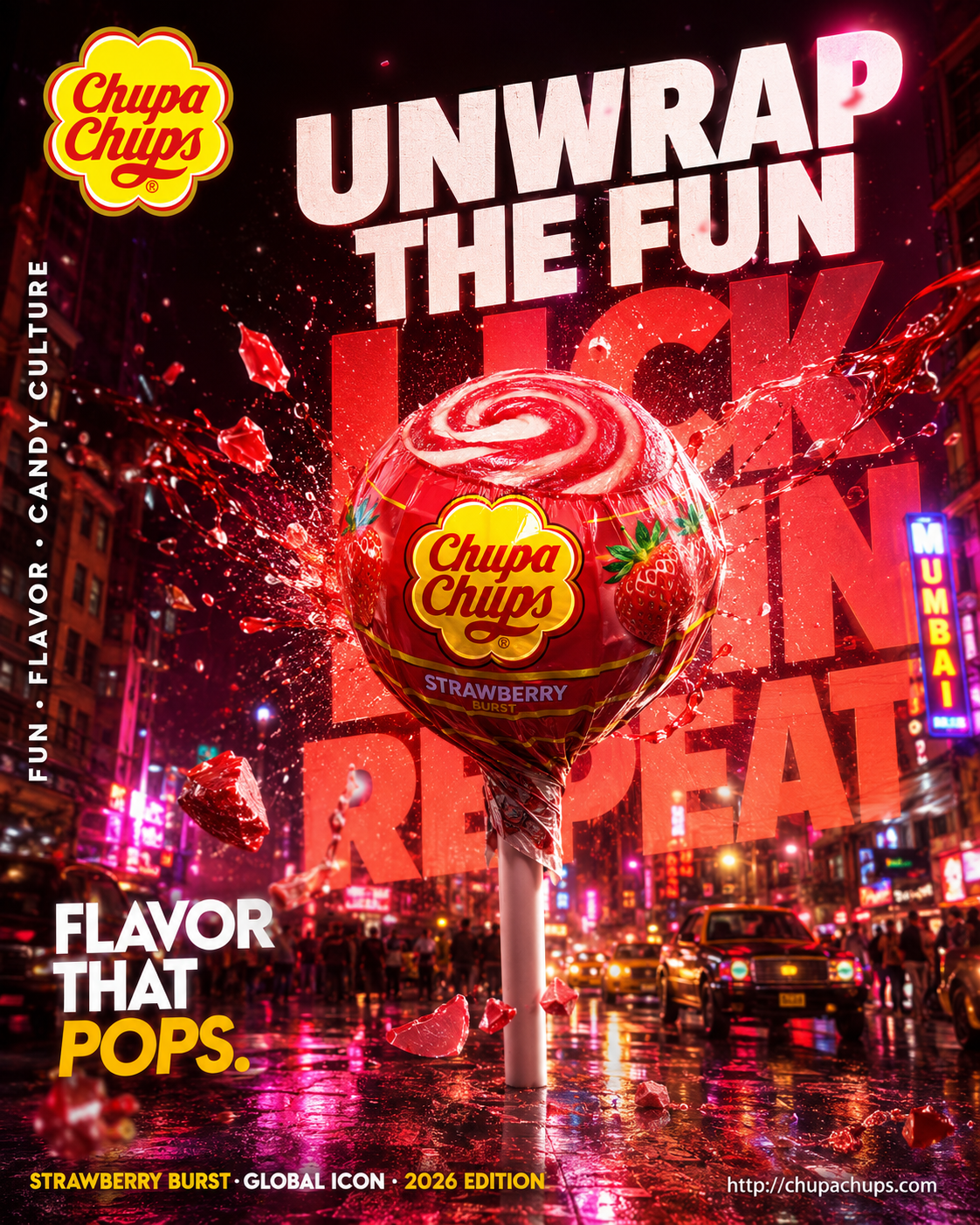
Póster Publicitario Cinematográfico de Chupa Chups India
- Model
- Image 2
- Aspect
- 3:4
- Type
- Image
- Plan
- Free
Full prompt
Hyper-realistic cinematic FMCG billboard advertising poster for Chupa Chups India, focusing on playful energy, bold flavor explosion, and Gen-Z candy culture.

Scene: a giant glossy Chupa Chups lollipop floating above a vibrant Indian street at night, candy shards and liquid flavor bursts exploding outward mid-air.

Environment: neon-lit urban backdrop inspired by Mumbai nightlife, glowing signage, reflective wet streets, colorful haze.

Subject: oversized strawberry swirl lollipop as the hero object, ultra-detailed glossy texture, cinematic flavor splash motion.

Visual storytelling: iconic Chupa Chups flower logo glowing subtly on wrapper, reflections visible on wet surfaces and candy syrup splashes.

Composition: dramatic low-angle shot, giant centered product dominating frame, dynamic explosion spreading diagonally across billboard composition.

Typography:
top left — Chupa Chups logo.
center massive — “UNWRAP THE FUN” ultra bold playful typography.
behind product (oversized layered text) — “LICK / SPIN / REPEAT”.
mid-left — “FLAVOR THAT POPS.” bold condensed font.
bottom left — “STRAWBERRY BURST · GLOBAL ICON · 2026 EDITION”.
bottom right — “http://chupachups.com”.
left vertical edge — “FUN · FLAVOR · CANDY CULTURE”.

Typography style: playful bold sans-serif, glossy layered opacity, oversized billboard scale.

Color palette: vibrant reds, yellows, pinks, neon orange accents, glossy candy textures.

Lighting: dramatic neon backlight with glowing highlights and candy reflections.

Atmosphere: sugar particles, mist, syrup splashes, floating candy dust.

Mood: energetic, youthful, addictive, vibrant.

Shot on ARRI Alexa Mini LF, 35mm anamorphic, HDR, ultra cinematic, premium FMCG billboard style, 4:5 portrait.How to use this prompt
- Click Copy prompt.
- Open Image 2.
- Paste the prompt into the input and run the generation.
- Set the aspect ratio to 3:4 if your interface allows it.
[ Similar prompts ]
You might also like
- N°103 · Image 2Retrato de Identidad Oculta
- N°115 · Image 2Michael Jordan en póster digital minimalista
- N°113 · Image 2Póster Editorial de Moda K-Fashion Y2K de Lujo
- N°105 · Image 2Mascota de Comida Rápida en Estilo Anime Streetwear
- N°107 · Image 2Póster Minimalista de Gojo Limitless
- N°142 · Image 2Premium Monster Energy Poster with Surreal Cyberpunk City